Vectra GPS Installation Guide
Professional wiring diagrams and step-by-step instructions for 2-wire and 4-wire installations. Choose the setup that best fits your fleet security needs.
Video Walkthrough
Watch a real installation
Follow along with a hands-on installation, from connecting the power leads to wiring up the device. Tap play to watch the full walkthrough.
Vectra GPS Installation Guide
Professional Wiring Diagrams • vectragps.com
2-Wire Setup
Basic GPS Tracking
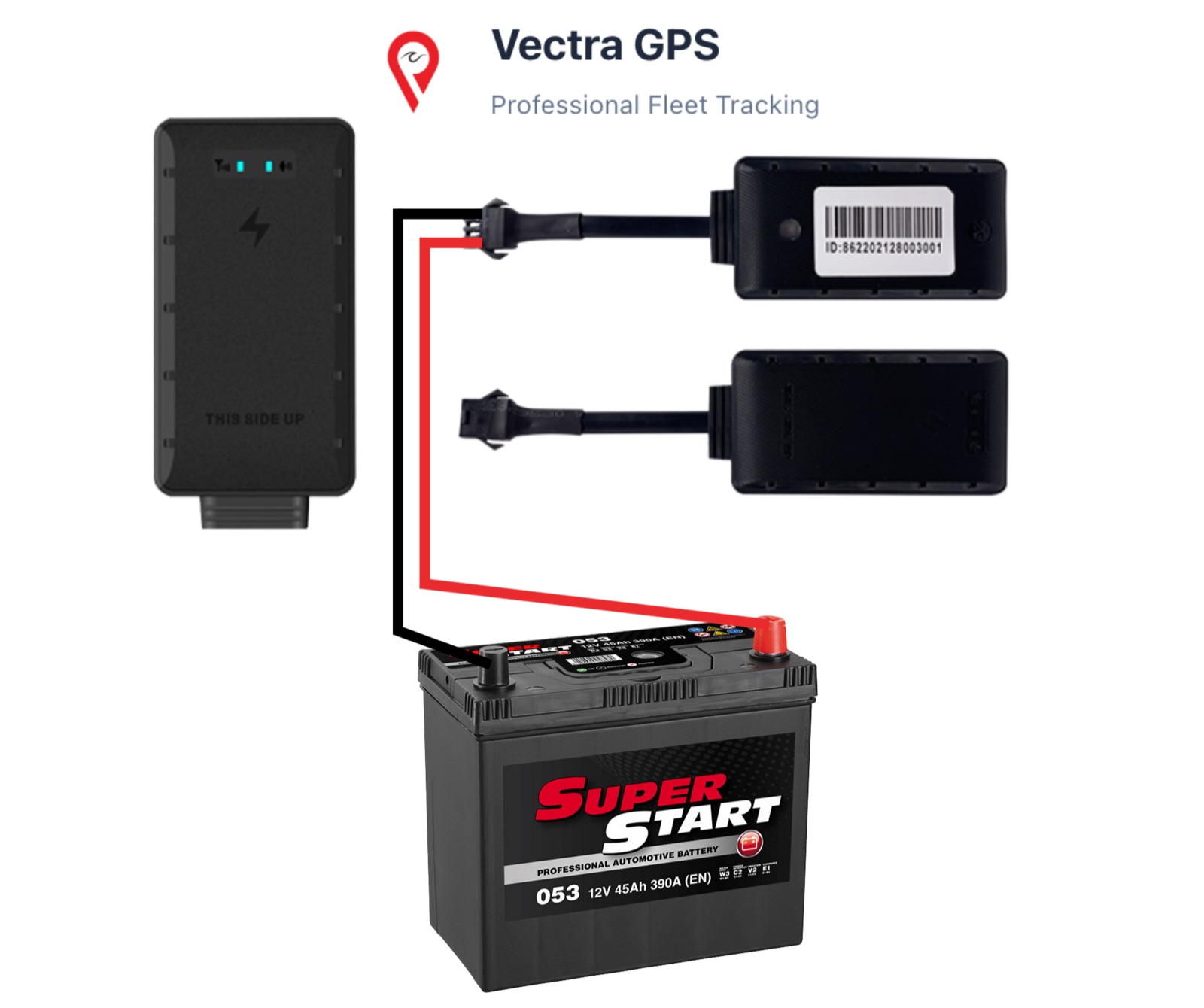
Perfect for basic GPS tracking needs. Simple installation with just two wires - connect red positive to black negative on the battery or battery source.
Wiring Instructions
Red wire → Battery positive (+)
Black wire → Battery negative (-)
Features Included:
Real-time GPS tracking
Battery monitoring
Basic notifications
Geofencing alerts
Location history
Need Installation Help?
Live chat: vectragps.com
Email: support@vectragps.com
Visit vectragps.com for more resources and documentation
Vectra GPS Installation Guide
Professional Wiring Diagrams • vectragps.com
4-Wire Setup
Full Control System
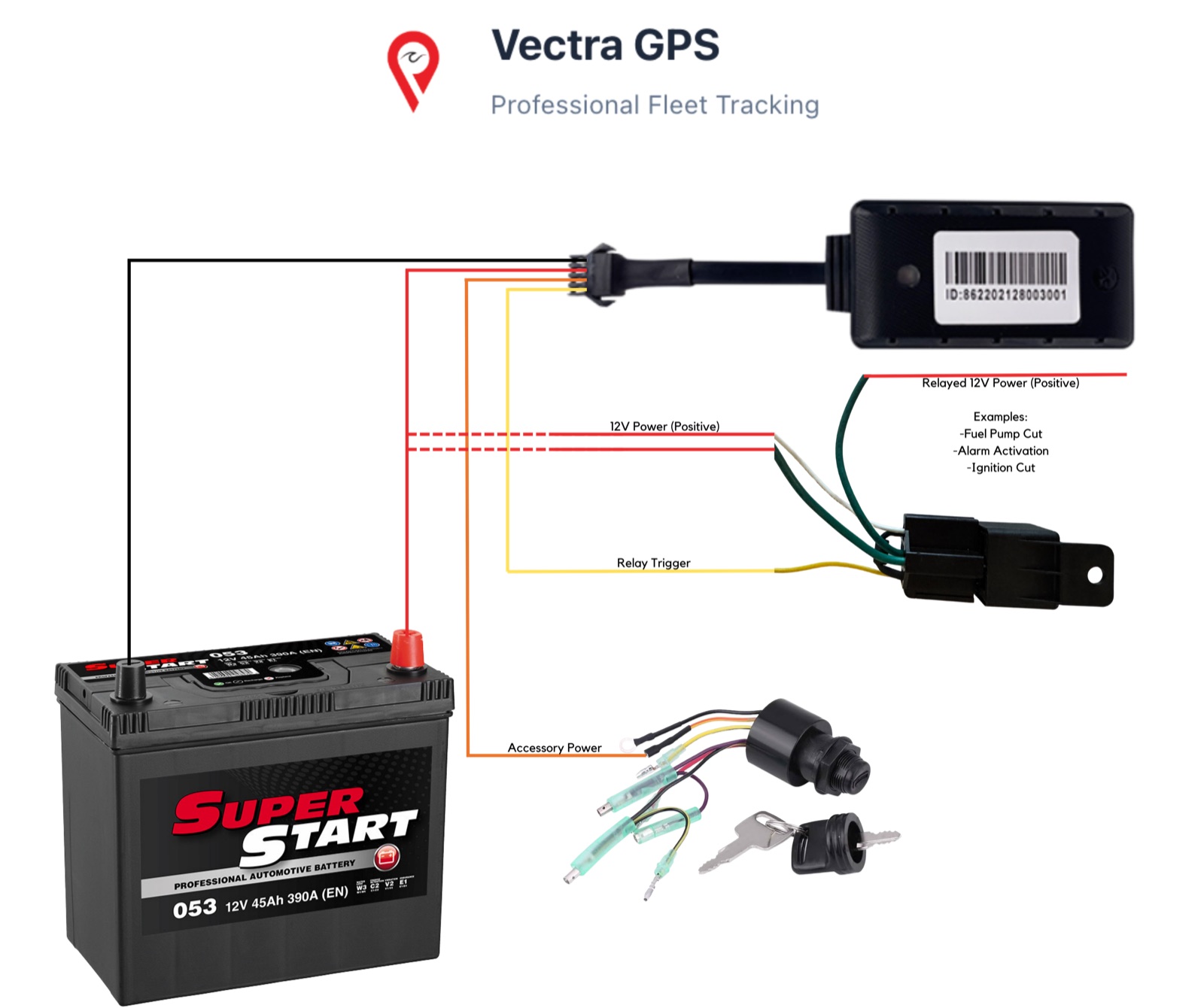
Complete control system with remote cut-off capabilities. Perfect for theft prevention, fleet security, and advanced control features.
GPS Device Connections
Red → Battery positive (+)
Black → Battery negative (-)
Orange → Accessory power
Yellow → Relay connection
Relay Connections
Yellow → Yellow (from GPS device)
Green → Battery positive (+)
White → Battery positive (+)
Other Green → Relayed positive output
💡 Remote Control Capabilities
Control ignition systems, fuel pumps, sirens, alarms, and other security features remotely through the app.
Need Installation Help?
Live chat: vectragps.com
Email: support@vectragps.com
Visit vectragps.com for more resources and documentation
Need Installation Help?
Our technical support team is here to help with your installation. We provide detailed guidance and can recommend certified installers in your area.
We answer in chat, or email us any time.